Fingerprint
A semiconductor fingerprint sensor for enrolled users.
 AROVENIQ
AROVENIQ · INTERIOR ACCESS
A compact lever with fingerprint, keypad and card entry. Connect with Tuya for everyday access management, with a physical key kept as backup.
Website retail price · Ghana cedis
GHS 800
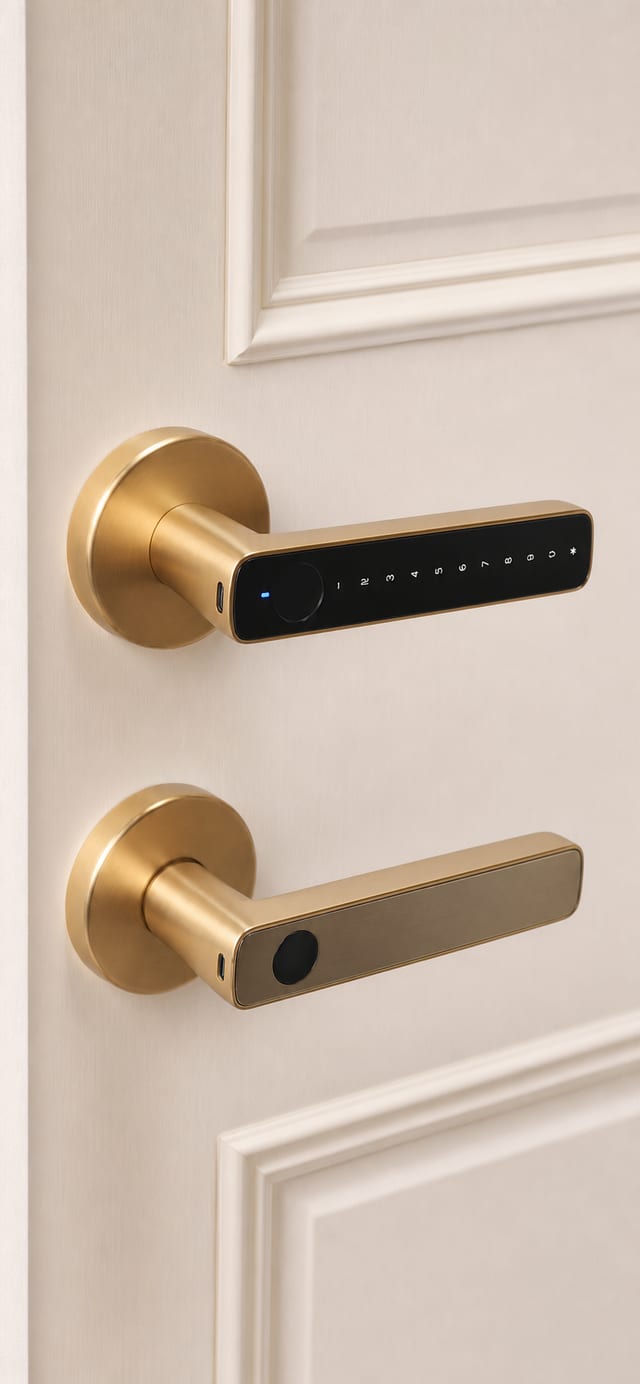
AROVENIQ01 / 03
Choose the finish that suits your interior. These finish illustrations show the appearance; housing and lock-body details may differ by configuration. Stock colour and configuration are confirmed in the quotation before purchase.
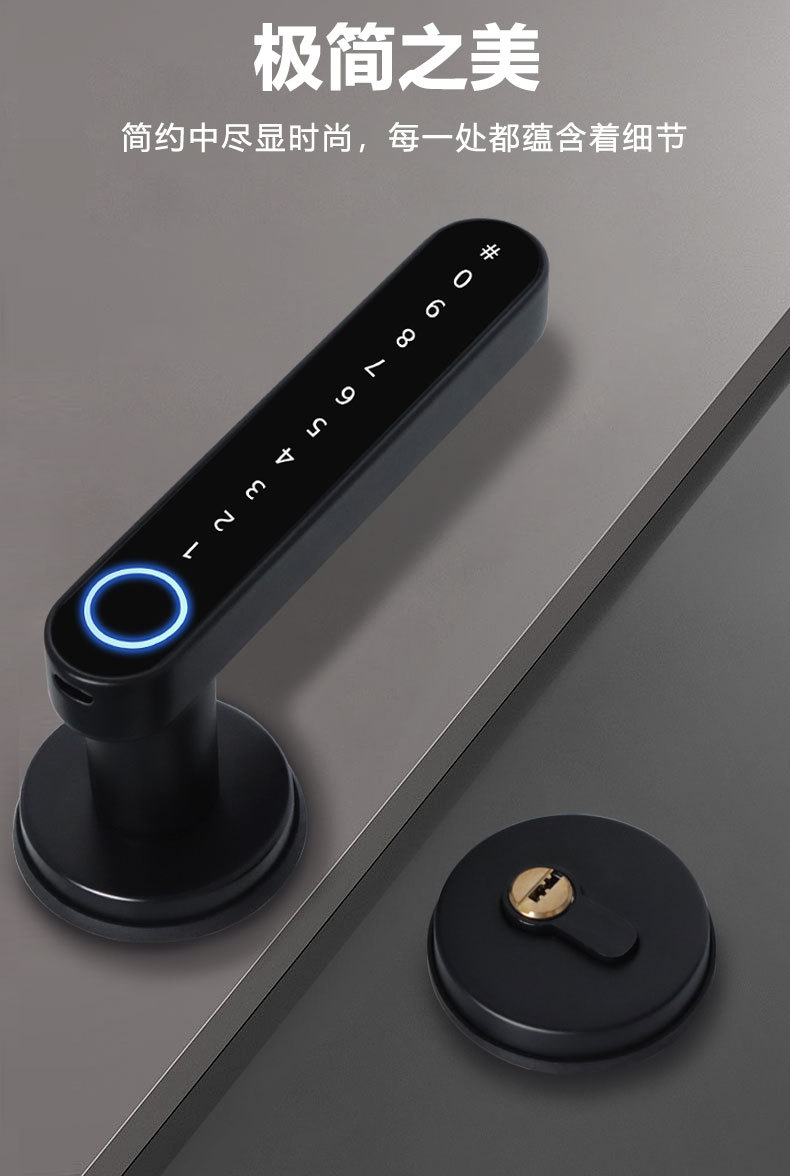
COMPACT BY DESIGN
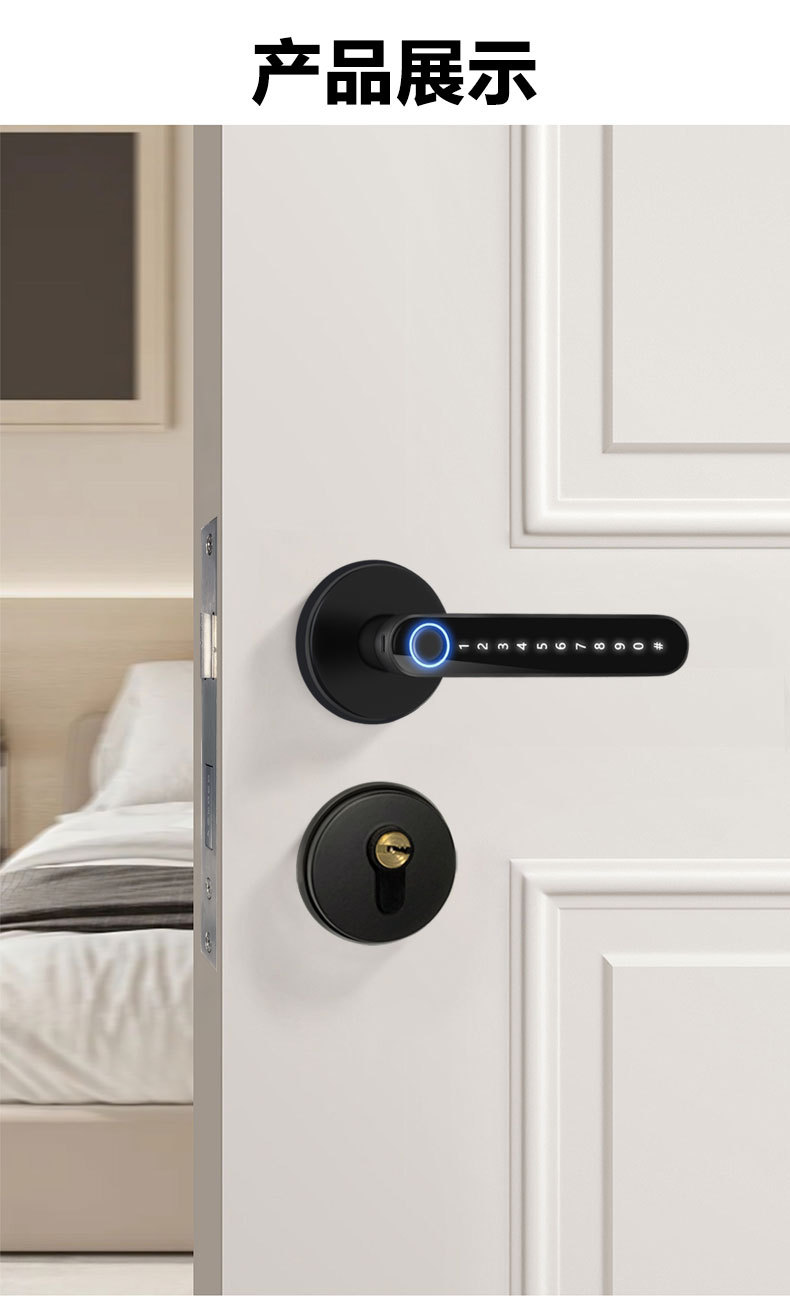
A slim aluminium-alloy lever with a fingerprint area, illuminated keypad and separate key cylinder. For suitable bedroom, study and private-office doors.
Available in gold, silver and black. The quotation confirms the stock colour and configuration.
Supplier product illustration, not a customer installation photograph. Finish and lock-body configuration are confirmed before purchase.
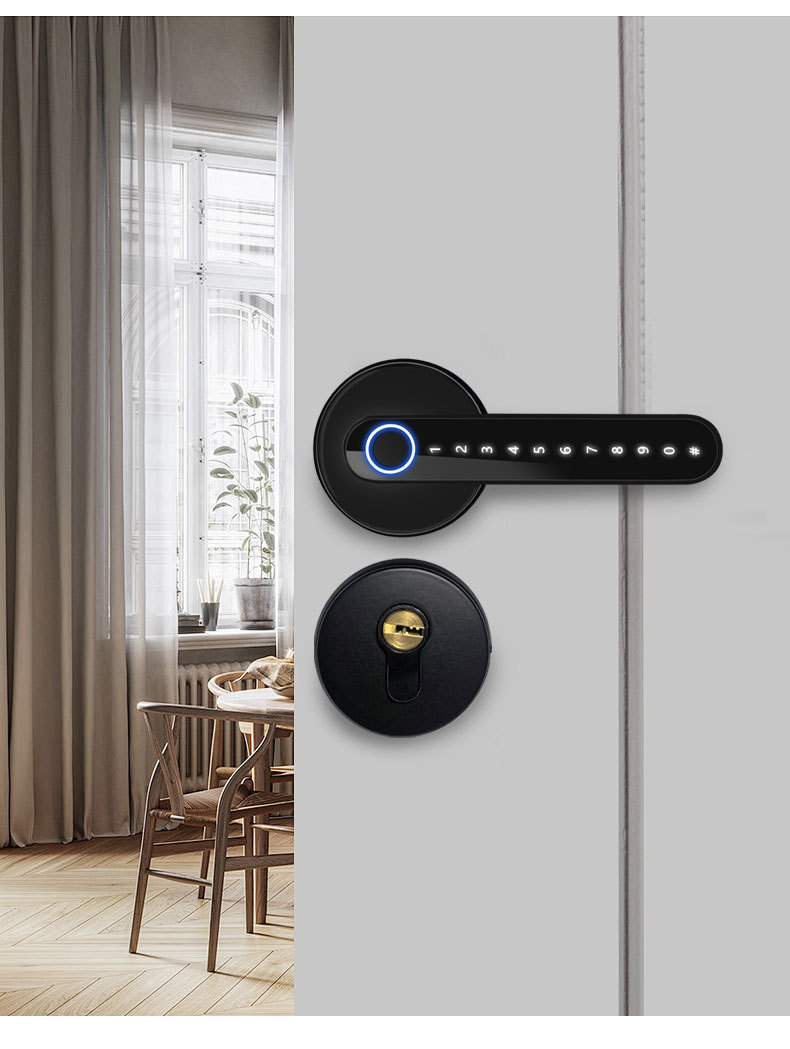
PERSONAL ACCESS
A semiconductor fingerprint sensor for enrolled users.
Use the illuminated keypad with an authorized code.
Present a registered compatible card or fob.
Keep a securely stored key for backup entry.
Use the supported app within the required Bluetooth range.
Selected phones or wearables can act as credentials after compatibility and setup checks.
NFC compatibility is device- and credential-specific. The presence of NFC on a phone or wearable does not guarantee unlocking support; no universal iPhone or smartwatch compatibility is claimed.
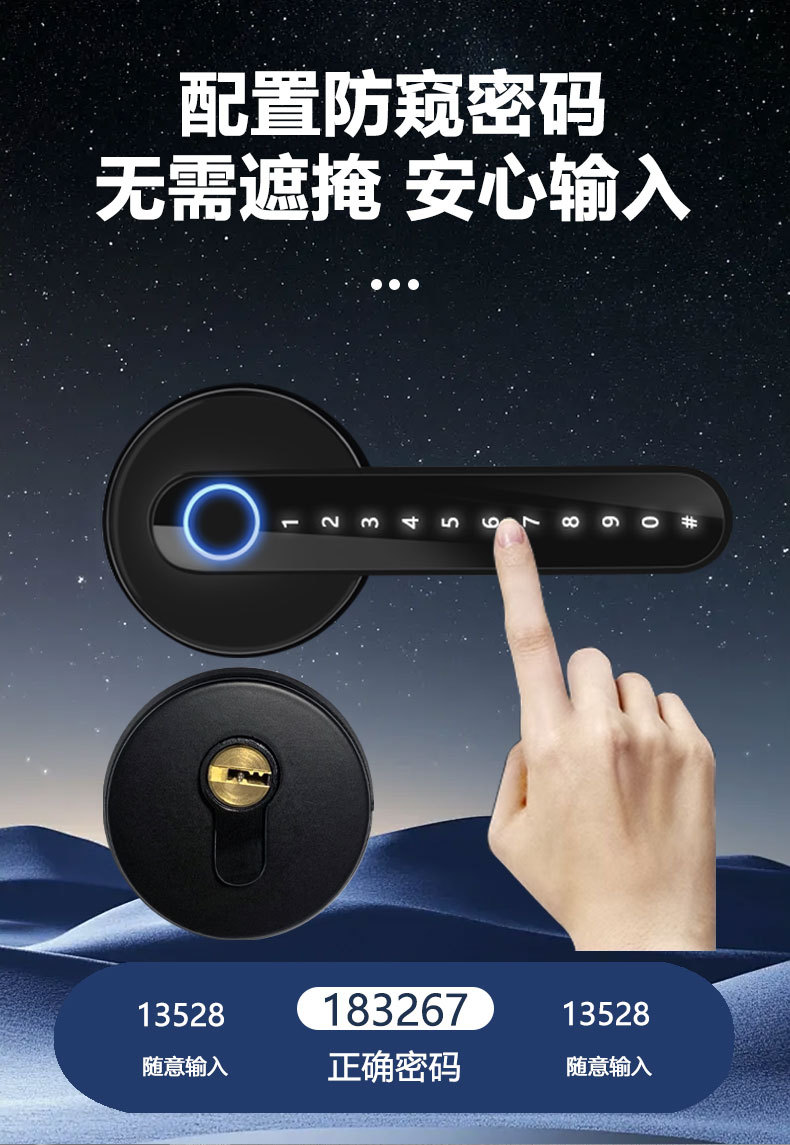
Anti-peeping password entry lets you add digits before and after the correct code, while keeping the correct code consecutive. Follow the total-length rules for your supplied lock.
Illustrative sequence only. Choose your own private password; this is not a guarantee against observation.
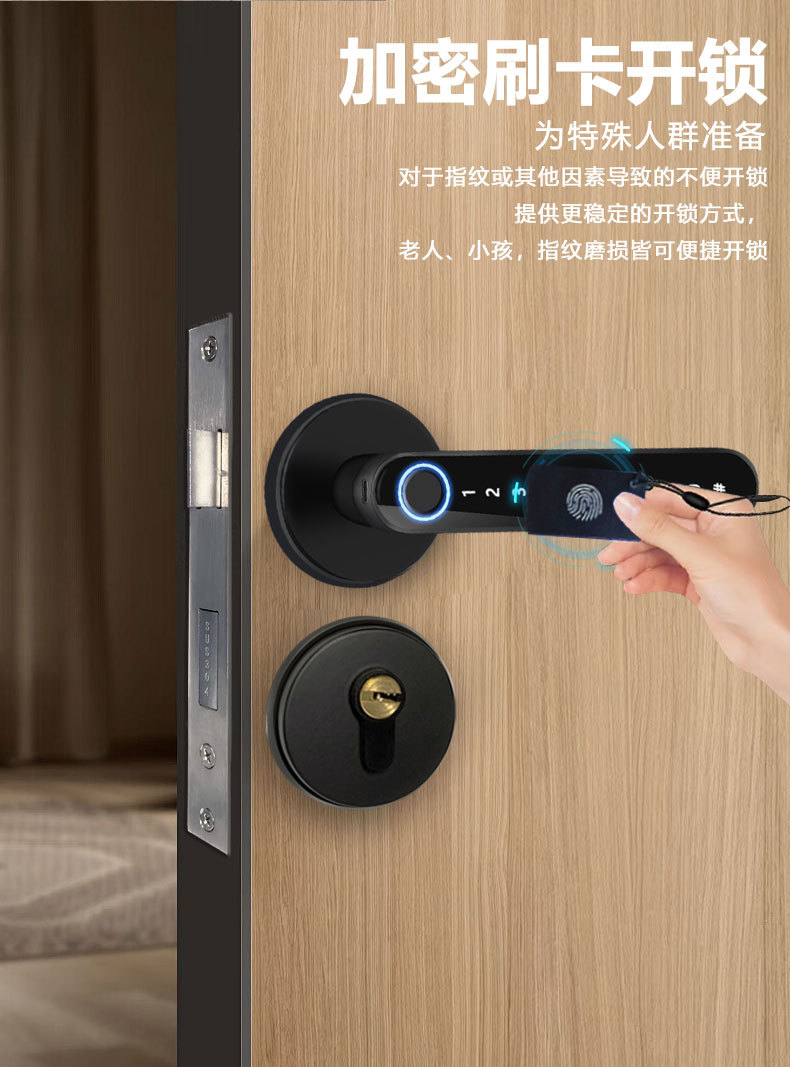
A registered card or fob can be convenient when a user prefers not to use the fingerprint reader. Enrol and manage each credential through the supported setup process.
TUYA SMART ACCESS
Manage users, share access, check available entry records and battery level, and create a temporary password through the configured app.
Remote unlocking requires a compatible optional gateway and the required network setup. Bluetooth unlocking by itself is not remote access. Gateway supply and setup are confirmed in the quotation.
Manage the people and credentials authorized to use the room.
Share an authorized temporary code for a planned visit. Expiry and available validity options follow the supplied app and lock.
Review available unlocking activity. Record types, synchronization and retention depend on the configured system; this is not a video-recording claim.
Check the battery information available in the app and plan replacement.
ROOM FOR YOUR ROUTINE
Allow frequent entry without repeated authentication when the room is intentionally in passage mode. Restore secure mode when privacy is needed. This does not physically hold the door open.
Reduce spoken prompts for late arrivals or resting family members. This setting does not eliminate mechanical lock or door noise.
The illustrated inside assembly has a reset control and a privacy thumbturn. Their operation and effect on access are explained during setup; resetting is not a normal daily-entry step.
Choose a quiet voice setting and use your enrolled entry method, while still closing the door gently.
Share a temporary password privately with an authorized guest and check its validity before the appointment.
Use passage mode while you welcome people in, then return to secure access when you finish.
Illustrative everyday scenarios, not completed customer projects.
POWER & BACKUP
Four AAA batteries provide the regular power supply. Replace them according to the supplied instructions. Battery life varies with usage, settings and battery quality; no fixed replacement interval is promised.
Keep the physical key securely accessible to an authorized person. Confirm the port location and power requirements on the actual unit during installation.
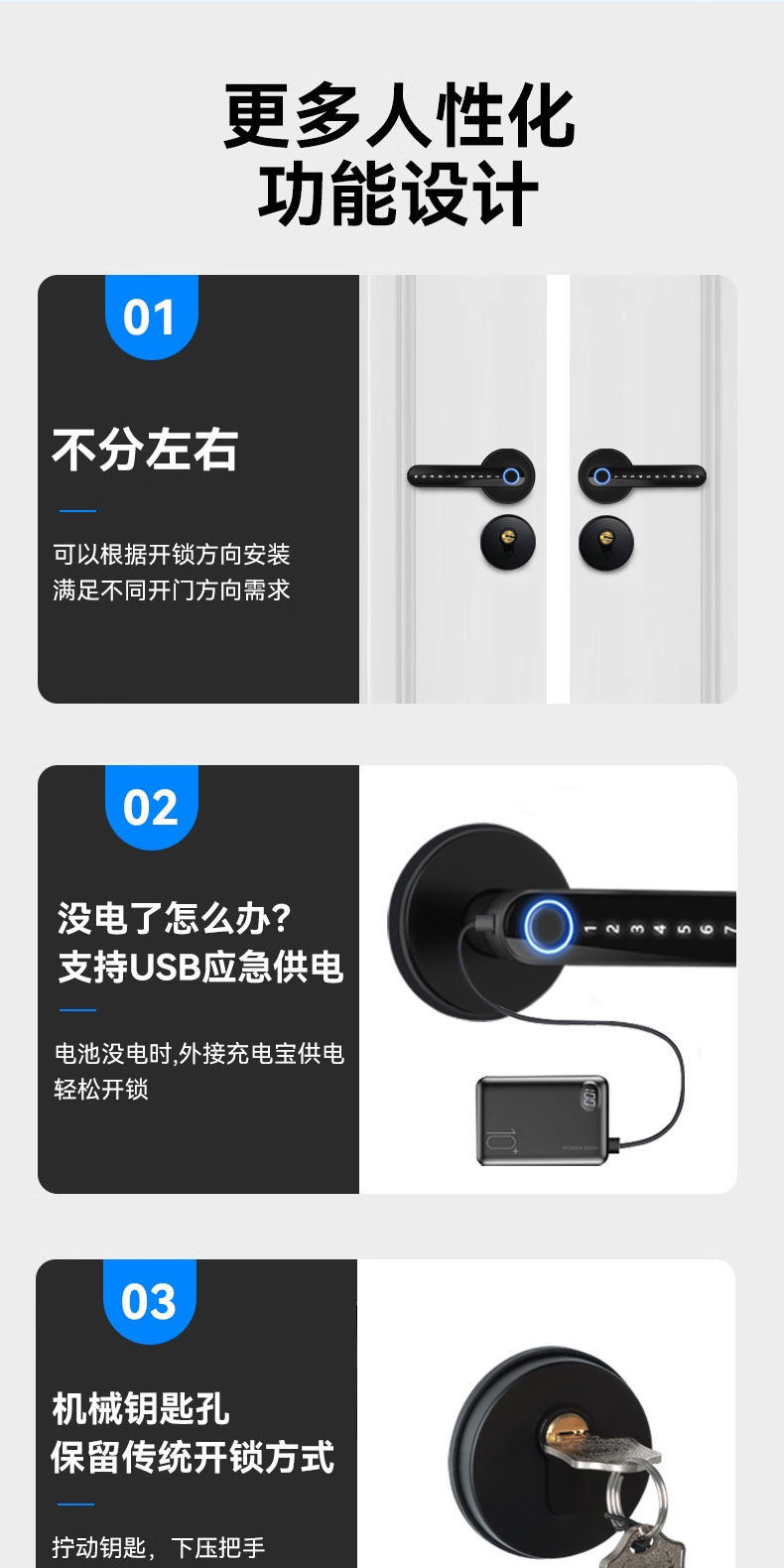
When the batteries are depleted, a compatible power bank can provide emergency power for authorized unlocking. The Type-C connection is not a charging port for the installed batteries.
FIT BEFORE YOU BUY
The supplied materials list 35–50 mm doors. Door thickness alone is not enough: check the existing lock body, openings, spindle, cylinder and opening direction.
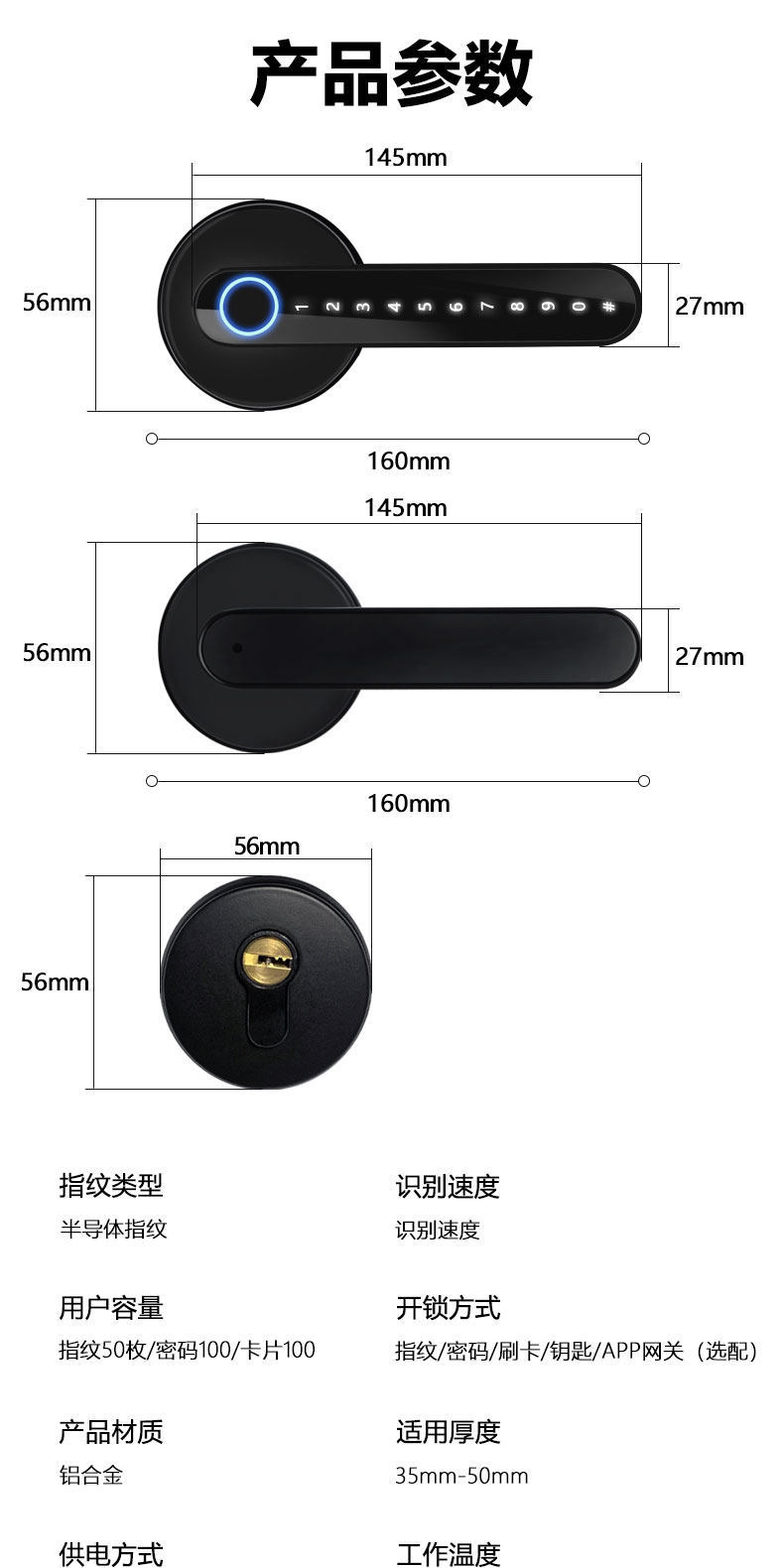
The supplied drawing includes 160 mm, 145 mm, 56 mm and 27 mm callouts. Use the marked reference points in the drawing; these are not interchangeable measurements.
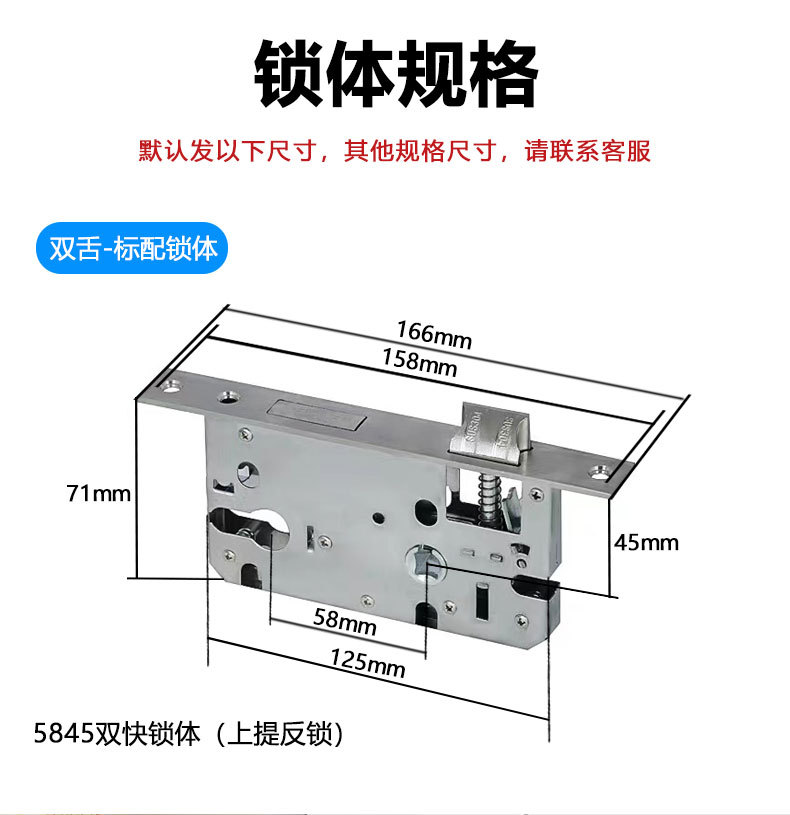
The supplied image shows a 5845 lift-to-lock mortise configuration. The selected lock body is matched to the door and confirmed in the quotation; other doors may require a different configuration.
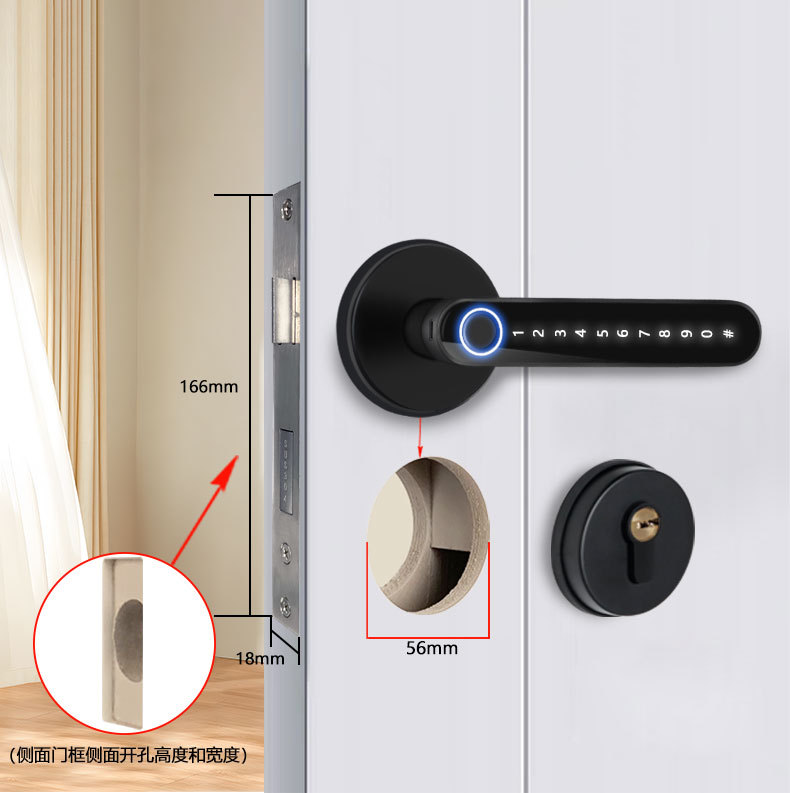
The supplier illustration marks 166 × 18 mm at the door edge and a 56 mm circular opening. These are reference dimensions, not instructions to drill an existing door without checking the supplied hardware.
Installation dimensions are supplier references, not a universal drilling template. The installer must verify the actual hardware and door before any cutting.
Send photos of both sides and the edge of your door, its thickness, your location and the access methods you want. We will confirm the finish, lock body, gateway requirement and installation scope.